60-minute session
P.E.A.C.H. Essentials
$750 starting rate
A focused introduction to intentional AI use.
- Understand each P.E.A.C.H. step.
- See a prompt built from start to finish.
- Use the H checklist to review an AI response.
P.E.A.C.H. helps you set a clear goal, choose appropriate evidence, give AI a specific task, and keep your own judgment in the process.

Purpose · Evidence · Assignment · Criteria · Human Review
For work, college, and everyday tasks. Fill in what you know; your entries are not sent to a server.
What are you trying to accomplish, and what context should AI understand?This gives the prompt your goal and situation.
What approved materials or facts should AI use? Avoid sharing private information.This identifies what information AI may draw from.
Give AI one specific, useful task.This states the help you are requesting.
Set the format, limits, and rules the response must follow.This sets the standards for AI's response.
How will you check the response and decide what to revise?After using AI, record what you actually checked, changed, used, and disclosed. This becomes part of your AI-use explanation.
See how the P.E.A.C.H. steps can turn a vague request into a useful learning prompt. Then try building your own below.
Think of a prompt as instructions you give an AI tool. Fill in the letters below, then press Make my prompt. Use AI to help you learn and practice, and follow your teacher's rules.
Download the free K–12 workbook (PDF)7 printable pages · includes an example, writing space, and an AI-use note for your teacher
Explore the full 33-page digital workbook with guided P.E.A.C.H. lessons, activities for different grade levels, reusable planners, and an educator guide.
Tell AI your grade or age group, the subject, and what you want to understand. Example: “I am in seventh grade, and I want to understand fractions.”
Point to your class notes, reading, or facts. You can say, “Use only the notes I provide.” Don't include names or private information.
Ask for a clear learning task, such as an explanation, practice questions, or feedback on your own idea.
Choose a length, format, or rule. Example: “Use simple words, give one example, and don't give me the answers until I try.”
After you use AI, explain what it helped you do, what you did yourself, and how you checked its answer. Copy this part to show your teacher how you used AI responsibly and did your own work. It is not added to the AI prompt.
Make it, copy it, and use it in an AI tool your school or family allows.
Write what AI helped with, what you did yourself, and how you checked its answer.
0 of 5 checks complete
Only the number of copied prompts is counted. What you type here stays on your device. Never enter passwords, your address, or someone else's personal information into an AI tool.
In this nine-minute video, Dr. Combs’s P.E.A.C.H. framework is explained through a practical example. See how to set a purpose, use evidence, define an assignment, add constraints, and review the AI response with your own judgment.
Seven printable pages to plan a task, shape a prompt, review the response, and decide whether AI use needs to be cited or disclosed. Includes writing space and a worked example.
Download the free workbook (PDF)Letter size · 7 pages · Free to download
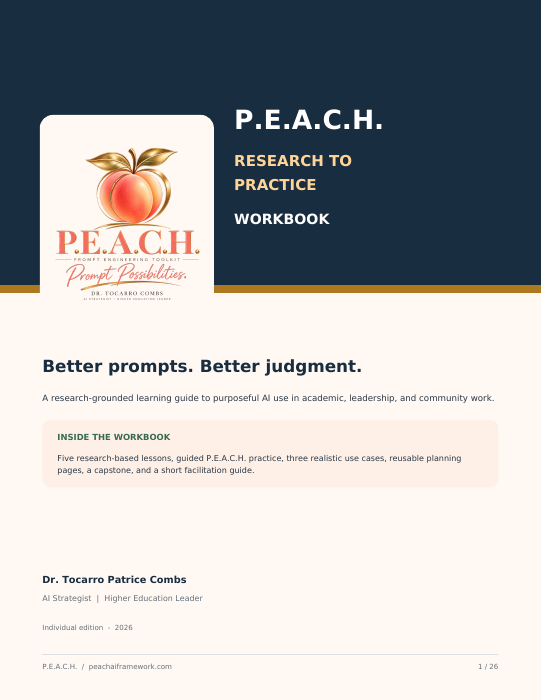
$39 individual digital edition
A 26-page learning guide grounded in Dr. Combs’s study of undergraduate students’ experiences with AI. Work through five research themes, guided exercises, deeper lessons for every P.E.A.C.H. step, worked cases, and a final capstone.
Buy the workbook — $39Secure checkout and PDF delivery through Payhip · Individual use
Interactive training in prompt building, responsible AI use, and human review. Choose a format below or start with a 15-minute consultation.
A focused introduction to intentional AI use.
A guided session for people ready to put the framework to work.
More time for practice, feedback, and organization-specific examples.
A 15-minute planning call. Your $50 consultation fee is credited toward your training fee if you book a P.E.A.C.H. session.
Prices are starting rates per group session, not per person. Training dates, audience, customization, delivery format, and any travel costs are confirmed in a proposal before the booking is finalized. The $50 consultation fee is applied to your training invoice if you proceed; it is not an additional charge on top of the training price.
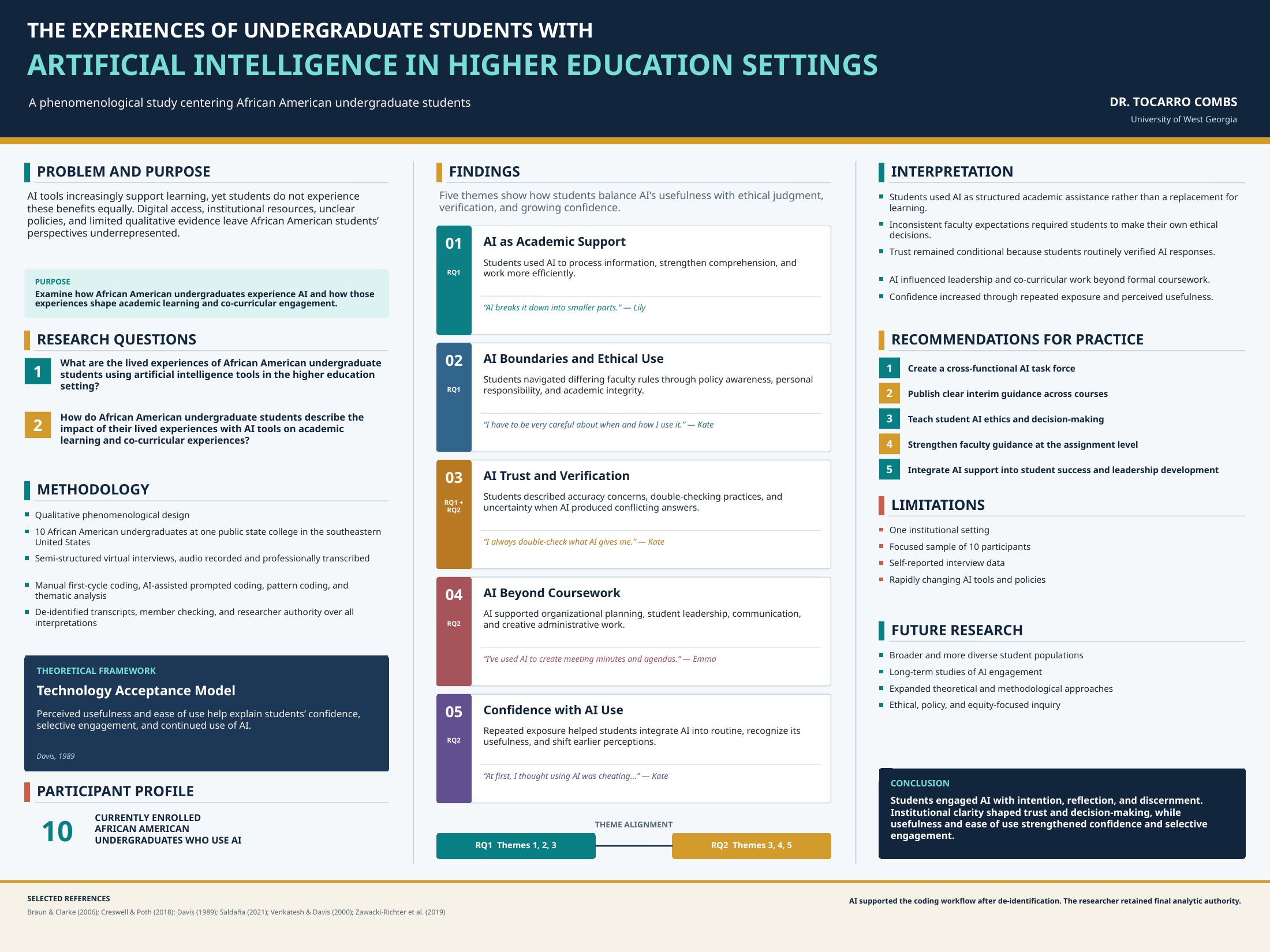
Dr. Combs’s qualitative study examined how ten African American undergraduates experienced AI in higher education, including academic learning and activities beyond coursework. These findings offer context for intentional use; the P.E.A.C.H. steps are a separate teaching framework.
Participants described help with processing information, comprehension, and efficiency.
Students navigated faculty expectations, personal responsibility, and academic integrity.
Participants raised accuracy concerns and described checking AI responses.
AI appeared in organizational planning, leadership, and creative or administrative work.
Repeated exposure shaped comfort and how students perceived AI’s usefulness.
Give students clear expectations for AI use, teach verification and ethical decisions, and make space for AI learning in student leadership as well as coursework.
Study context: ten participants at one public state college in the southeastern United States; semi-structured interviews and thematic analysis. The Technology Acceptance Model informed the study. Findings reflect these participants’ experiences and are not a measure of all students’ outcomes.

AI Strategist · Higher Education Leader
Dr. Tocarro Patrice Combs is a higher education leader, educator, and AI strategist with more than 15 years of experience across student engagement, leadership development, and student success. Her work focuses on the thoughtful use of AI in teaching and learning.
She earned her Ed.D. in Higher Education Administration from the University of West Georgia, where her research examined undergraduate students’ experiences with artificial intelligence. She was the first doctoral student at UWG to receive IRB approval to use AI for first-cycle coding in her thematic analysis.
Her passion for emerging AI technology, global education, and community leadership drives her to connect people, expand opportunity, and turn bold ideas into meaningful impact. She created the P.E.A.C.H. framework to help people use AI with purpose, clear boundaries, and human judgment.
“Prompt Possibilities is phenomenal. I was able to create a functional budget calculator using my customized prompt.”
“This is awesome! Wow, my students could use this!”
“This was super cool & easy.”
Bryson created an interactive coloring sheet.
Add the P.E.A.C.H. web app to your Home Screen for quick access. Open this page on the phone you want to use, then follow its steps below.
The prompt builder and free workbook are available offline after the app loads once. Booking and checkout links require internet. This is a Home Screen web app, not an App Store download.